
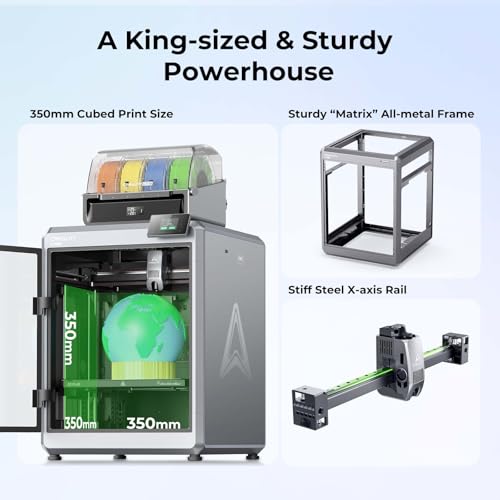
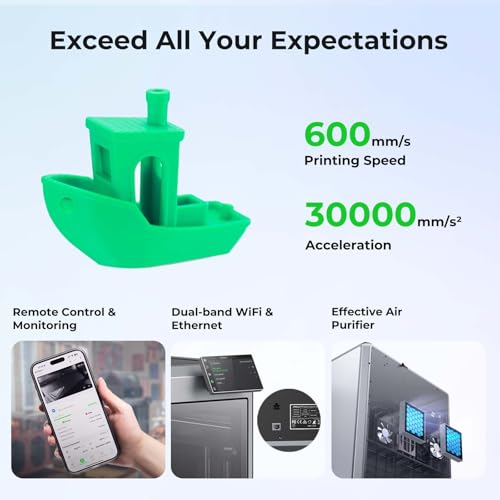
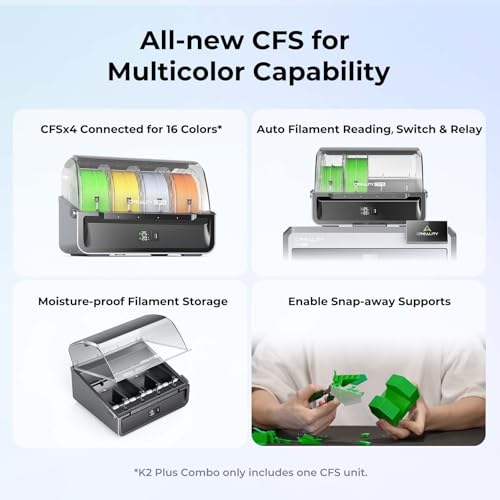
- Aproveite a impressão em várias cores: conectando até quatro unidades CFS, você pode imprimir com o esplendor de 16 cores. Elimina a necessidade de pintura extra posteriormente. Com o Sistema Automático de Material Creality. Gerenciamento Inteligente de Múltiplos Filamentos
- Impressão de alta velocidade: Sistema de servomotor passo a passo com aceleração de 30000 mm/s², 40 mm³/s de alta vazão e silencioso. Para uma máquina de grande formato, 600 mm/s é bastante rápido, mas isso não é tudo. Turboalimentado por servomotores de passo, ele pode acelerar a impressionantes 30.000 mm/s²
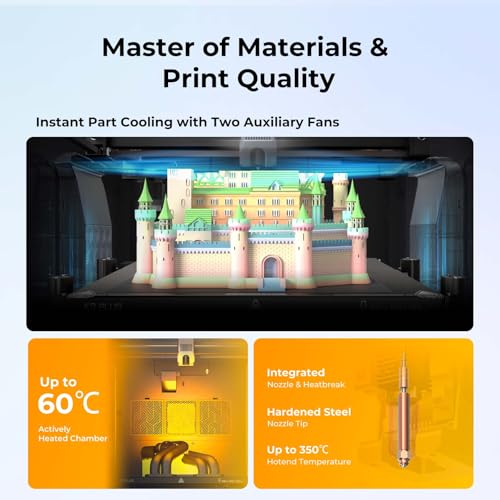
- Capacidade Multimaterial: O K2 Plus Combo está equipado com câmara aquecida ativamente e bico de alta temperatura com ponta de aço temperado. Oferece uma seleção mais ampla de materiais, incluindo PLA/ABS/PETG/PA-CF/PLA-CF/PET/ASA/PPA-CF
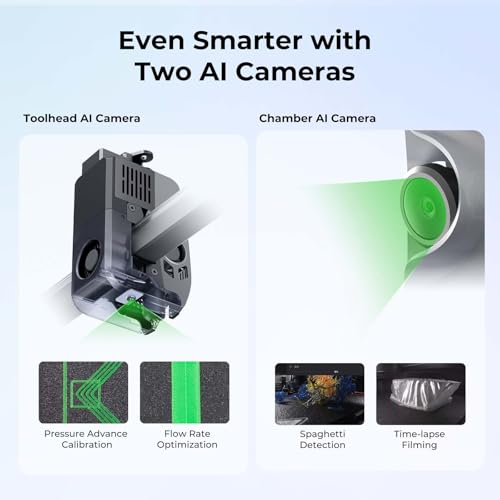
- Duas câmeras com IA: O K2 Plus utiliza uma câmera com IA na lateral da câmara para monitorar falhas no espaguete, objetos estranhos, marcha lenta, etc. Ela alertará você quando ocorrer um erro. Também suporta monitoramento em tempo real e filmagem em time-lapse
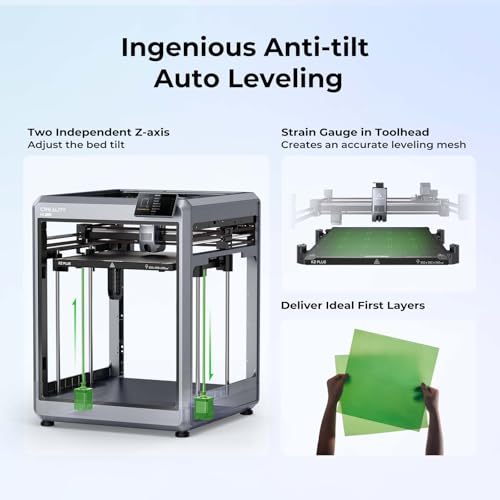
- Engraçado Nivelamento Automático Anti-inclinação: O K2 Plus possui dois eixos Z motorizados de forma independente para redução automática da inclinação, compensação de nivelamento automático baseada em extensômetro e uma capacidade de primeira camada de nível profissional que garante uma camada inicial suave e organizada sem intervenção manual
- Impressão de alta qualidade: Estrutura “Matrix” robusta, tecnologia de fundição sob pressão para excelente rigidez. Eixo Z duplo assistido por 4 hastes lineares. Extremamente estável ao mover a plataforma de impressão para cima e para baixo. Praticamente sem deslocamento de camada. Também equipado com saída automática e cortador de filamento com sensor. *Combo K2 Plus: K2 Plus + 1 CFS + 4 filamentos de 500g (na caixa)
Carregue mais imagens
 Impressora Laser P3305DW Elgin Pantum Monocromática 33PPM Wi-Fi 100V - 110V
R$ 1.689,00
6x de R$ 281,50 s/ juros  Impressora Multifuncional HP Deskjet Ink Advantage 2874 Colorida, Wi-Fi Scanner, USB. Tecnologia de impressão Jato de Tinta Térmico. Funções:...
R$ 441,99
6x de R$ 73,67 s/ juros Impressora 3D Creality K2 Plus Combo, impressão multicolorida com novo CFS, velocidade de impressão máxima de 600 mm/s, nivelamento totalmente…
R$ 6.999,00
6x de R$ 1.166,50 s/ juros 
Até 12x sem cartão com a Linha de Crédito.
Saiba mais


Compre com o Mercado Crédito sem cartão e pague por mês
1
2
3
Crédito sujeito a aprovação.
Dúvidas? Confira nossa página de Ajuda.
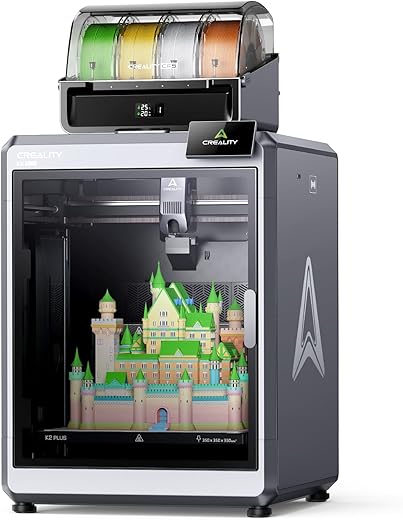
Impressora 3D Creality K2 Plus Combo, impressão multicolorida com novo CFS, velocidade de impressão máxima de 600 mm/s, nivelamento totalmente…
R$ 6.999,00
6x de R$ 1.166,50 s/ juros Informação adicional
| Marca | Creality |
|---|---|
| Fabricante | Creality |
| Modelo | K2 Plus Combo |
| Certificação | / |
| Número da peça | Creality K2 |
| Tipo Do Produto | Eletrônicos |
| Peças para montagem | 3d printer*1 |
| Número de unidades | 1 |
| voltagem | 220 Volts |
| Tipo de fonte de energia | / |
| Funciona com baterias | Não |
| Garantia do fabricante | 1 ano de fabricação |
| Peso do produto | 52,8 Kilograms |
| Número do modelo | K2 Plus Combo |
| Dimensões do produto | 49,5 x 91,59 x 51,51 cm, 52,8 quilogramas |
5 avaliações para Impressora 3D Creality K2 Plus Combo, impressão multicolorida com novo CFS, velocidade de impressão máxima de 600 mm/s, nivelamento totalmente…
Você precisa fazer logged in para enviar uma avaliação.



Once you get it together you will need to spend a little time checking out Creality "the website where you can download stuff to print". I would say all in all from opening the box to your first print will only take 2 hours.
This printer can do some pretty advanced prints if so desired. I would recommend starting slow and just playing will different prints. A ton of fun!
Once I got done chatting with the support person, I continued to read articles online. There was a YouTube video of someone having to replace their extruder. In the video he makes not of the cables being built in, " don't over think it, just remove the glue". So, I removed the glue and reseated the cable, then powered on the printer again. I was able to complete the setup menu and have not received the Y axis error again. I have to wonder, how did the cable come lose if it was glued in, seems more like somebody put it in wrong then glued it.
Now, I have the printer powered on and the initial configuration is complete with no errors. Next step is to load filament. I insert the filament according to the directions, the filament indicator tells me the filament is detected. Next, I press the extrude button, which should extrude 10mm of filament into the waste shoot. Instead, the filament falls out. I repeat this process several time, with no success. Now, I get a communications failure on the E axis (the extruder). I set out to reseat the extruder cables, it worded for the Y axis so why not for the E axis. To reseat the extruder cables, you have to remove the extruder and motor from the unit. The control cable for the motor is at the back of the motor, which is behind the extruder. After taking our more tiny screw and reseating the cables, I power on the printer once again. With luck, it powers on with no errors. I proceed to load the filament again, and again, it just falls out. But, now with the cover off the extruder I can see the gears, and they appear to be spinning the wrong way. To test my new theory, I press the retract button to back the filament out. But, to my surprise it pulls the filament in and loads it. Another round of searching on the internet, and I learn this is a winding/wiring issue with the motor. And, I learn the Klipper firmware has a switch to reverse the servo motor. I wont get into the logic behind creating a reverse in the firmware, instead of winding the motor correctly.
Now, after changing the firmware setting, I once again power on the printer and attempt to load the filament. Success, the motor is now spinning in the correct direction and the filament is loaded. This now proves the E axis servo and the extruder are working. So, what's next?? Of course the next thing to do is try to print Benchy. Filament loaded, I push the button and stand back, ready to see the power of this beast in action. And, it is moving like crazy, like a blur it moves back and forth, up and down printing Benchy for all it's worth. Except, there is no filament coming out. No errors, no fault in the movements of the printhead, just a little PLA dust on the heating plate. Thirty-six hours in, and I have not even been able to print a line. To be honest, I probably would have returned it, but I can't remember how to get everything back into the box.
Maybe some day soon, some support magic will fix my printer, or I will figure out how to get it back in the box. At that time, I will update my review with the final verdict.
I've noticed that if you don't retract the filament before changing colors or types, it can break inside the extruder when you try to pull it out.
That aside, I've had excellent results with both single-color and multi-color prints. I'm really excited about this printer!